Cell Code Decoding
Paste or upload the Cell Code printed on the battery to instantly identify brand, capacity, grade and production date.
Decode Your Cell Code
How to Use the Cell Code Decoder
Quickly verify your cell's brand, capacity and batch.
Where to find the QR code?
All new LiFePO4 cells have a square Data Matrix metal QR label, usually on the top or side of the cell. Below are real samples from CATL and EVE cells:
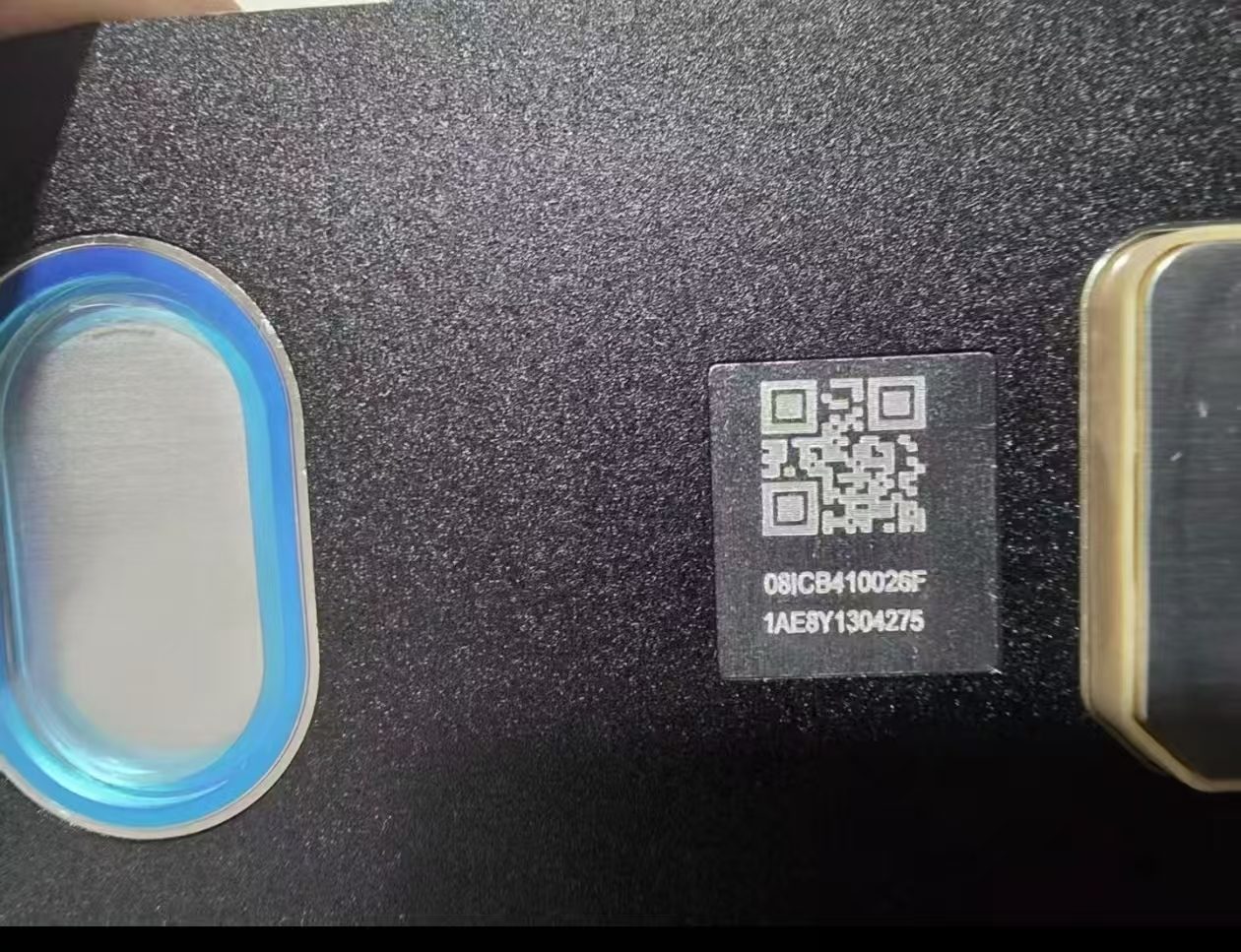
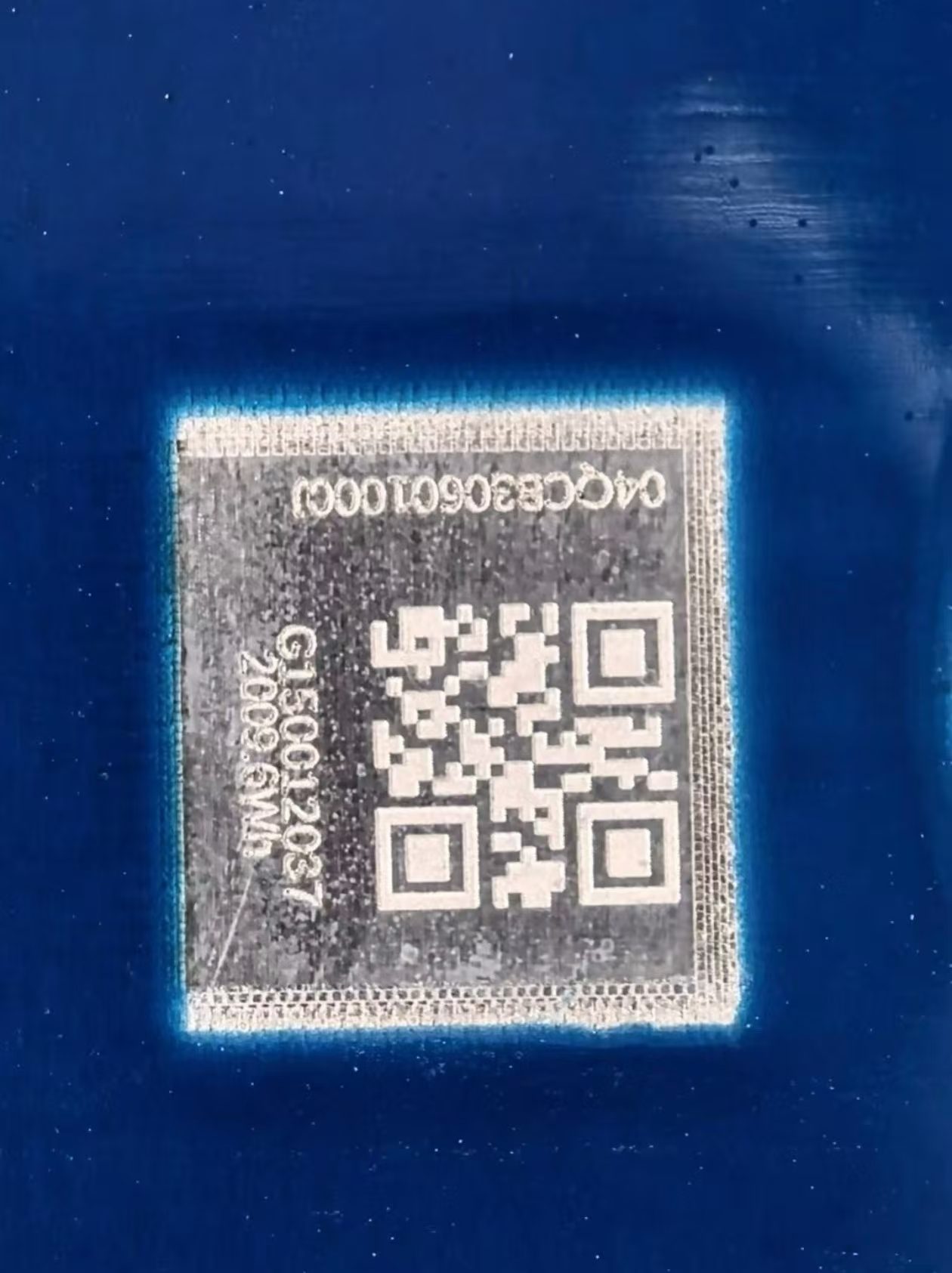
How to enter the QR code?
Below the metal QR there's typically a 24-character code split in two parts. The two parts must be joined in the correct order before being entered into the decoder.
CATL 302Ah example
Part 1: 001cb2400000
Part 2: 03b3c0221953
✓ Joined: 001cb240000003b3c0221953
EVE 280Ah example
Part 1: 04qcb76836300g
Part 2: bc40000903
✓ Joined: 04qcb76836300gbc40000903
Which cells are supported?
The decoder is based on the industry-wide battery coding standard, supporting major OEMs: EVE, CATL, CALB, LiShen, Sunwoda, REPT, Gotion, etc. Chemistry includes LiFePO4, NMC, LTO, lead-carbon, etc.
Decoded fields include manufacturer, product type, capacity, production batch (year/quarter/week). Code formats vary slightly by maker, but the underlying rules are consistent.
⚠️ Note: Reprinted or refurbished QR codes exist in the market, hard to spot by eye. If the decoded result doesn't match the original factory label, please contact Vosray Energy sales for verification - we insist on original factory labels and original-box originals.
About Cell Code Decoding
Every Battery Cell is labeled with a unique Cell Code that contains brand, batch, capacity, grade, production date, internal resistance and more.
This tool helps installers and maintenance engineers quickly verify cell parameters, avoiding capacity imbalance from mixed batches.